InvoiceNow e-invoicing, built into your finance ledger.
Singapore is phasing in InvoiceNow for GST-registered businesses, and many are adding it as a separate system bolted onto their accounting software. In AM8ZE Vista ERP, it sits inside the same ledger your finance team already works in.
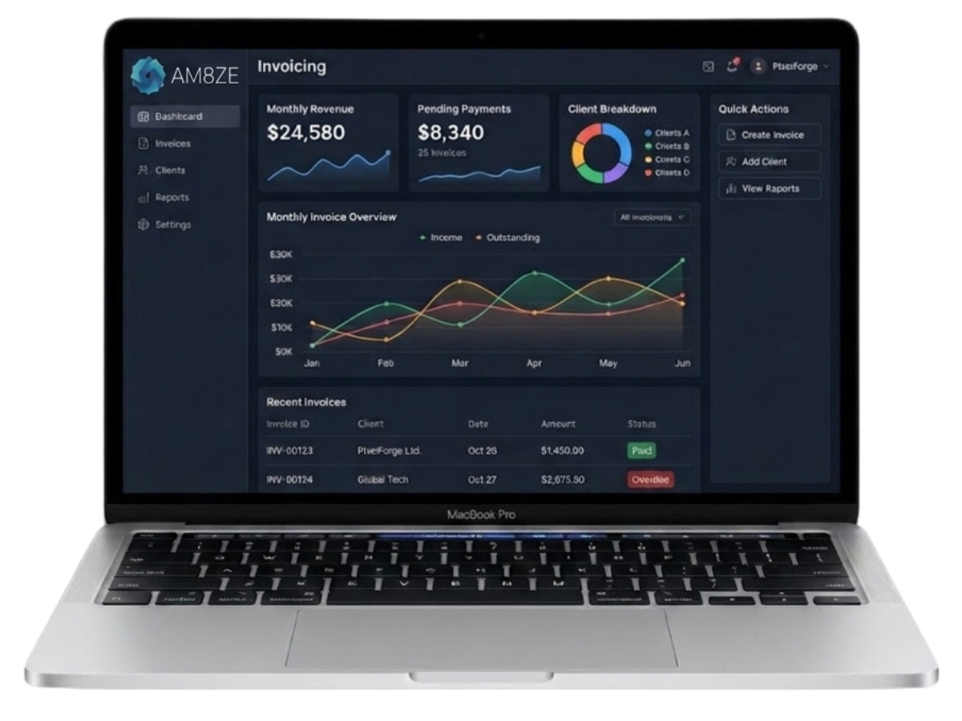
Built-in Enterprise Invoicing Tools
Branded Templates
Create professional invoice layouts with your own logo, brand colours and default payment terms, and reuse them across every invoice you send.
Automated Reminders
Set up reminder schedules that follow up with clients by email or SMS as invoices fall due, so late payments are chased without manual effort.
PayNow Integration
Add Singapore PayNow QR codes to your invoices so clients can scan and pay from their mobile banking app.
How it works in 3 Steps
Draft & Send
Create your sales invoice as usual in AM8ZE Vista ERP, then click "Send via InvoiceNow" — no separate portal to log in to.
Convert & Deliver
The system converts the invoice into the Peppol format and sends it securely through the InvoiceNow network to your client's system.
Reconcile & Report
Your ledger updates as invoices go out and payments come in, and the tax data is prepared for your GST filing.
Get InvoiceNow set up before your next filing deadline.
Book a Workflow Consultancy. We'll look at how invoices move through your finance team today — and show how AM8ZE Vista ERP connects you to the InvoiceNow network with less manual double-entry.
InvoiceNow e-invoicing, built into your finance ledger.
Singapore is phasing in InvoiceNow for GST-registered businesses, and many are adding it as a separate system bolted onto their accounting software. In AM8ZE Vista ERP, it sits inside the same ledger your finance team already works in.
Built-in Enterprise Invoicing Tools
Branded Templates
Create professional invoice layouts with your own logo, brand colours and default payment terms, and reuse them across every invoice you send.
Automated Reminders
Set up reminder schedules that follow up with clients by email or SMS as invoices fall due, so late payments are chased without manual effort.
PayNow Integration
Add Singapore PayNow QR codes to your invoices so clients can scan and pay from their mobile banking app.
How it works in 3 Steps
Draft & Send
Create your sales invoice as usual in AM8ZE Vista ERP, then click "Send via InvoiceNow" — no separate portal to log in to.
Convert & Deliver
The system converts the invoice into the Peppol format and sends it securely through the InvoiceNow network to your client's system.
Reconcile & Report
Your ledger updates as invoices go out and payments come in, and the tax data is prepared for your GST filing.
Get InvoiceNow set up before your next filing deadline.
Book a Workflow Consultancy. We'll look at how invoices move through your finance team today — and show how AM8ZE Vista ERP connects you to the InvoiceNow network with less manual double-entry.